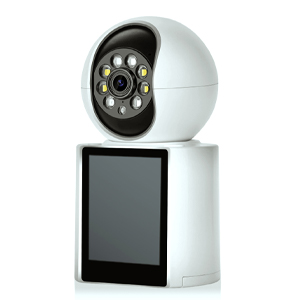
Dash cams have become an essential gadget for modern drivers, offering security, evidence in accidents, and even lowering insurance premiums. If you're considering installing one, this guide covers everything you need to know—from the benefits of dash cams to the best placement and installation tips.
Dash cams provide numerous advantages for drivers, including
Records real-time footage of collisions, helping prove fault in accidents.
Protects against fraudulent insurance claims (e.g., staged crashes).
Some insurers offer discounts for vehicles equipped with dash cams.
Video evidence can speed up claims processing.
Many dash cams have motion detection, recording hit-and-runs or vandalism while parked.
Encourages safer driving habits (useful for fleet vehicles or teen drivers).
Some models include GPS tracking and speed logging.
Great for road trips, scenic routes, or unexpected events (e.g., meteor sightings).
Proper placement ensures optimal recording without obstructing your view.
Best Spot: Behind the rearview mirror (doesn’t block driver visibility).
Angle: Slightly tilted to capture the road and surroundings.
Useful for recording rear-end collisions.
Install high enough to avoid wiper obstruction.
Some drivers use dual-facing dash cams to record both road and cabin (useful for rideshare drivers).
Don’t block airbags or sensors.
Check local laws—some regions restrict windshield mounting.
Before buying and installing a dash cam, keep these factors in mind:
Resolution: 1080p (minimum), 4K for sharper details.
Loop Recording: Ensures continuous recording by overwriting old footage.
Storage Capacity: Larger SD cards (64GB+) store more footage.
Cigarette Lighter (12V): Easy but leaves wires exposed.
Hardwiring: Cleaner setup but requires professional installation.
Battery-Powered: Convenient but may need frequent recharging.
GPS: Logs speed and location data.
Wi-Fi/Bluetooth: Allows easy footage transfer to smartphones.
Night Vision: Essential for low-light recording.
Some countries/states have restrictions on dash cam audio recording.
Avoid obstructing the driver’s view (illegal in some areas).
Clean the windshield with alcohol wipes before mounting.
Use the adhesive or suction mount (ensure it’s secure).
Adjust the angle for optimal road coverage.
Tuck the cable along the headliner and down the A-pillar (use cable clips if needed).
For a clean look, hardwire to the fuse box (recommended for permanent setups).
Turn on the ignition to check if it powers up.
Verify recording quality (day & night).
Enable loop recording, adjust resolution, and activate parking mode if available.
For drivers seeking maximum coverage and clarity, the 3-Channel Mirror Dash Cam is an outstanding choice. Here’s why:
The 4K Ultra HD front camera captures crisp details of the road ahead.
1080P rear and interior cameras monitor traffic behind and inside the cabin—ideal for rideshare drivers or fleet vehicles.
A large, anti-glare touchscreen allows seamless switching between views.
Wide-angle display enhances visibility without obstructing driving.
Loop recording ensures continuous storage by overwriting old footage.
The G-sensor auto-locks critical clips during collisions.
Enhanced night vision & WDR for clear recordings in low light.
More stable than traditional USB ports—prevents overheating and power loss.
🔹 Looking for a 2-channel option?
Also offers a dual-channel version (front + rear recording) with the same high-end features—perfect if you don’t need interior monitoring.
Dash cams are a smart investment for safety, security, and peace of mind. By choosing the right model, positioning it correctly, and following proper installation steps, you can maximize its benefits. Whether you're a daily commuter or a road-trip enthusiast, a dash cam is a must-have for modern driving.
For comprehensive coverage, the 3-Channel Mirror Dash Cam is a top-tier choice—delivering 4K front, 1080P rear, and interior recording in one sleek package.
Have you installed a dash cam? Share your experience in the comments!
Copyright © 2023 INSEETECH LIMITED. All Rights Reserved.