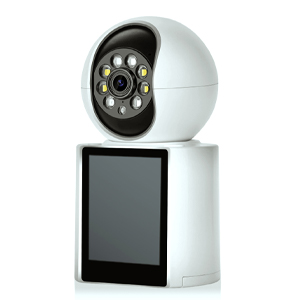
Using Your Smartphone to Monitor Home Security: Tips and Tricks
In today’s connected world, managing home security has never been easier, thanks to the power of smartphones. With the right setup, you can keep an eye on your home from anywhere, ensuring peace of mind whether you're at work, on vacation, or just out running errands. Here are some tips and tricks to effectively use your smartphone for home security monitoring.
- Choose the Right Camera and App: To get started, you need a reliable security camera system that pairs well with a smartphone app. Look for cameras that offer high resolution, night vision, motion detection, and two-way audio. Ensure the accompanying app is user-friendly, compatible with your smartphone, and offers features like real-time alerts and remote control.
- Set Up Real-Time Alerts: Configure your app to send real-time alerts to your smartphone when the camera detects motion or sound. This allows you to respond quickly to potential security threats. Customize the sensitivity settings to avoid false alarms from pets or passing cars.
- Use Two-Way Audio: Many modern security cameras come with built-in microphones and speakers, enabling two-way communication. Use this feature to speak to visitors at your door or to deter potential intruders by letting them know they are being monitored.
- Install Cameras strategically. Place cameras at key points around your home, such as entryways, driveways, and common areas. Ensure they cover vulnerable spots but also avoid invading the privacy of neighbors or household members. Position cameras at a height and angle that maximize their field of view and minimize blind spots.
- Optimize Your Wi-Fi Network: A strong, stable Wi-Fi connection is crucial for effective home security monitoring. Place your router in a central location, free from obstructions, to ensure a strong signal throughout your home. Consider using Wi-Fi extenders or a mesh network system if you have a large property.
- Regularly Update Your Software: Keep your camera firmware and smartphone app up to date. Manufacturers frequently release updates that improve performance, fix bugs, and enhance security. Regular updates ensure your system remains reliable and secure.
- Utilize Cloud Storage: Opt for a camera system that offers cloud storage for video recordings. This ensures that footage is safely stored offsite and can be accessed even if the camera is damaged or stolen. Some systems offer local storage options like SD cards, but cloud storage provides an added layer of security.
- Integrate with Smart Home Systems: If you have other smart home devices, integrate them with your security system for a more comprehensive setup. For example, you can sync your cameras with smart lights to turn on when motion is detected, or link them to a smart doorbell for seamless monitoring.
- Privacy and Security Considerations: Protect your security system from hacking by using strong, unique passwords and enabling two-factor authentication (2FA). Be mindful of privacy settings and ensure that only authorized users have access to your camera feeds.
By leveraging your smartphone and following these tips, you can create a robust home security system that keeps you informed and in control, no matter where you are. Embrace the convenience and power of modern technology to safeguard your home and loved ones effectively.