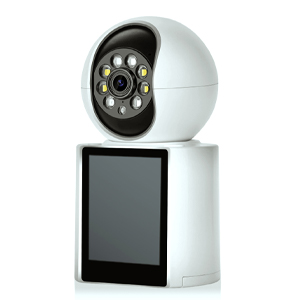
Battery-powered security cameras offer flexibility and easy installation, making them a popular choice for home and business surveillance. However, maintaining a long battery life to ensure continuous protection is a common challenge. Here are some practical tips to help you extend the battery life of your security cameras.
Most battery-powered cameras rely on motion detection to activate recording. Adjusting these settings can significantly reduce unnecessary battery drain:
Sensitivity Level: Lower the sensitivity to avoid false triggers from minor movements like leaves or passing cars.
Detection Zones: Set specific zones where motion should trigger recording, ignoring less critical areas.
Activity Scheduling: Enable motion detection only during high-risk hours (e.g., nighttime) to conserve power during low-activity periods.
Shorter Clips: Set recordings to 10-20 seconds instead of continuous long clips.
Fewer Notifications: Limit push alerts to only critical events to prevent constant wake-ups of the camera.
Event-Based Recording: Use "record on motion" instead of continuous recording to save battery.
A weak Wi-Fi connection forces the camera to work harder, draining the battery faster. To improve signal:
Place the camera within a strong Wi-Fi range.
Use a Wi-Fi extender or mesh network if needed.
Avoid interference from thick walls or electronic devices.
Higher-resolution videos consume more power. If battery life is a priority:
Lower the resolution (e.g., 1080p instead of 4K).
Reduce frame rates (15-20 fps instead of 30 fps).
Enable H.265 compression (if supported) for more efficient video storage.
Some battery-powered cameras support solar panel attachments for continuous charging.
If possible, connect to an external power source when needed.
Manufacturers often release updates that optimize power efficiency. Regularly check for and install firmware updates.
Batteries drain faster in very hot or cold conditions. If possible:
Install cameras in shaded areas to prevent overheating.
Use weatherproof housing to minimize temperature impact.
Many cameras offer a "low-power" or "battery saver" mode that extends life by reducing functionality slightly.
Replace old or degraded batteries promptly.
Use high-quality, manufacturer-recommended batteries.
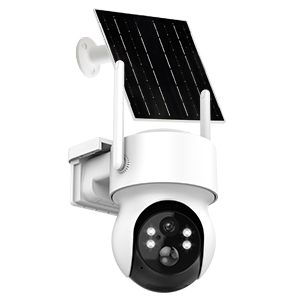 |
Wireless Solar Security Camera Outdoor
|
By implementing these strategies, you can maximize the battery life of your security cameras and ensure reliable surveillance without frequent recharging or battery replacements. Experiment with different settings to find the best balance between performance and power efficiency for your needs.
Do you have any additional tips for extending camera battery life? Share them in the comments below!
Copyright © 2023 INSEETECH LIMITED. All Rights Reserved.